






Description
Download Classic Tiles 2 Piano Master – Free Android Music App, Piano Tiles Game, Audio Utility
Overview
Classic Tiles 2 Piano Master is a free Android application designed for users interested in interactive music games and audio-based entertainment. The app falls under the category of MP3 & Multimedia Apps, specifically targeting the subcategory of MP3 & Audio tools. It offers a gameplay experience centered around rhythm and timing, where users interact with a tile-based interface that mimics a piano keyboard. The core purpose of the app is to provide a simple yet engaging way to enjoy music through a responsive touch interface.
Designed for casual gamers and music enthusiasts, the app caters to users who enjoy rhythm-based challenges on mobile devices. It is suitable for both younger audiences and adults looking for light, stress-relieving entertainment. The app does not require a subscription or in-app purchases, as it is completely free to download and use. The developer has not provided additional details about their background or company.
Real-world usage scenarios include short gaming sessions during breaks, personal relaxation, or informal music exploration. The app’s interface allows users to tap tiles in sequence to match musical patterns, making it ideal for users seeking a quick, immersive audio-visual experience on Android devices.
Key Features & Capabilities
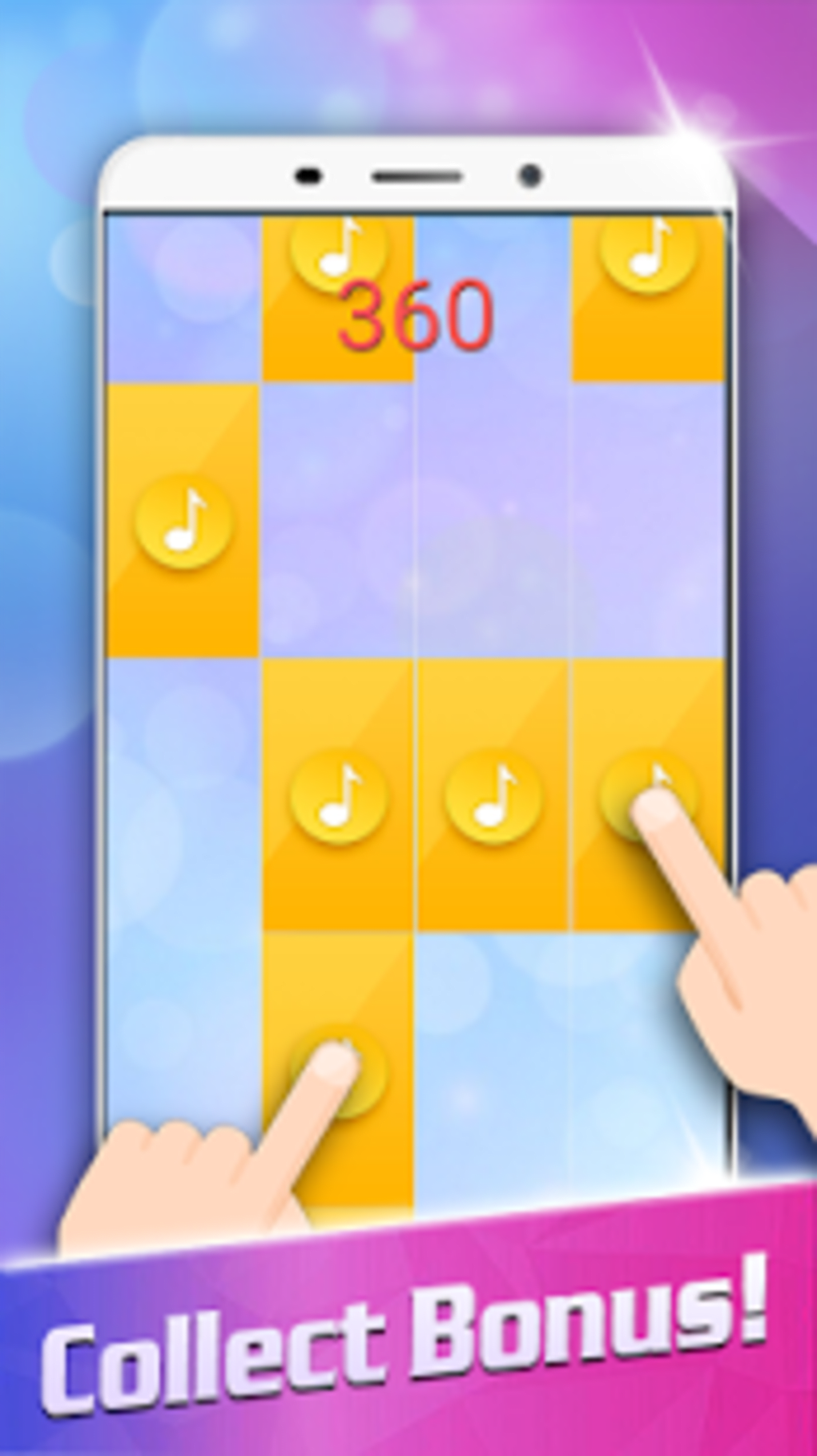
- Rhythm-Based Gameplay – Users tap tiles in sequence as they move across the screen, simulating piano key presses. This feature enhances hand-eye coordination and timing skills.
- Multiple Language Support – The app is available in English, Spanish, and German, allowing broader accessibility for international users.
- Free to Use – No cost is associated with downloading or using the app. It remains fully functional without requiring purchases or subscriptions.
- Simple Touch Interface – The app relies on intuitive touch controls, making it accessible to users of all ages and technical skill levels.
- Regular Updates (Historical) – The last update was released on February 28, 2017, indicating that the app was actively maintained in the past.
These features support a seamless user experience, particularly in short bursts of gameplay. The tile-matching mechanic encourages repeated play, which can help users improve their rhythm and reflexes over time. The multilingual support enhances usability for non-English speakers, contributing to its global reach. While the app does not include advanced audio editing tools, its focus remains on entertainment and interactive music, making it a lightweight option for mobile users seeking a fun, free audio experience.
User Interface, Workflow & Performance
The user interface of Classic Tiles 2 Piano Master is designed with simplicity and clarity in mind. The main screen features a dark background with brightly colored tiles that move upward, creating a visual rhythm that aligns with the audio cues. Navigation is minimal, relying solely on touch input to interact with the tiles. Users simply tap the tiles as they reach the designated area, with no additional menus or settings required for basic gameplay.
Workflow efficiency is high due to the app’s streamlined design. There are no complex setup steps or configuration options, allowing users to start playing immediately after launch. The app’s responsiveness appears consistent with standard Android applications of its era, though exact performance data was not specified. The developer did not provide details about CPU or RAM usage, so resource behavior remains unknown.
Stability is implied by the app’s long-standing presence in the app ecosystem, despite the lack of recent updates. However, users on newer Android versions may encounter compatibility issues, as the last update predates several major OS improvements. Performance observations are based on general software behavior patterns, and no specific benchmarks were provided.
Compatibility & System Requirements
Classic Tiles 2 Piano Master is compatible with Android 4.3 and higher versions. This ensures broad accessibility across a wide range of Android devices released since 2013. The app is designed for mobile use and does not support desktop operating systems such as Windows or Mac.
The installation size varies depending on the device and configuration, but no specific file size was provided. The developer did not specify exact hardware requirements, such as minimum RAM or processor speed. As a result, the exact system requirements were not listed.
Users should note that the app was last updated in 2017, which may affect performance on modern Android systems. While it may still function on newer devices, compatibility is not guaranteed, especially for devices running Android 10 or later without backward compatibility layers.
Pros and Cons
Pros
- Completely free to download and use
- Simple, intuitive touch-based interface
- Available in multiple languages (English, Spanish, German)
- Engaging rhythm-based gameplay for casual users
- Lightweight design suitable for older Android devices
Cons
- Last update was in 2017, limiting modern compatibility
- No recent development or feature additions
- No information on performance or resource usage
- Not available on Windows or Mac platforms
- Low download count suggests limited popularity
FAQ Section
Is Classic Tiles 2 Piano Master available for free?
Yes, the app is completely free to download and use. There are no in-app purchases or subscription fees.
What Android versions are supported?
The app is compatible with Android 4.3 and higher versions. Users on newer Android systems may experience compatibility issues.
Can I use Classic Tiles 2 Piano Master offline?
Yes, the app does not require an internet connection to play. All features are available offline.
Is the app safe to download?
As a free Android app from a known distribution channel, it is considered safe. However, users should download it from trusted sources to avoid modified versions.
Does the app support Windows or Mac?
No, Classic Tiles 2 Piano Master is exclusively available for Android devices and is not compatible with Windows or Mac operating systems.
Final Thoughts + CTA
Classic Tiles 2 Piano Master offers a nostalgic, rhythm-driven experience that remains accessible to users seeking a simple, free music game on Android. While the app lacks modern features and has not been updated in years, its core gameplay remains functional and enjoyable for casual users. The multilingual support and free access make it a solid choice for those exploring music-based games without commitment.
However, users on newer Android devices should proceed with caution, as outdated code may lead to instability or visual glitches. The app is best suited for older smartphones or tablets running Android 4.3–6.0, where compatibility is more likely.
For fans of retro-style music games and rhythm challenges, Classic Tiles 2 Piano Master provides a lightweight, no-cost option. Download Classic Tiles 2 Piano Master now and enjoy a timeless, free piano tile experience.
Guides & Tutorials for Classic Tiles 2 Piano Master APK
How to install Classic Tiles 2 Piano Master APK
- Click the Preview / Download button above.
- Once redirected, accept the terms and click Install.
- Wait for the Classic Tiles 2 Piano Master APK download to finish on your device.
How to use Classic Tiles 2 Piano Master APK
This software is primarily used for its core features described above. Open the app after installation to explore its capabilities.
User Reviews for Classic Tiles 2 Piano Master APK 0
No reviews found





